

Installation
WPBits provides Addons for Elementor that enhance WordPress page building capabilities. The installation process is straightforward through either the WordPress Admin panel or manual download.
Installation Methods
Section titled “Installation Methods”Via WordPress Admin Panel
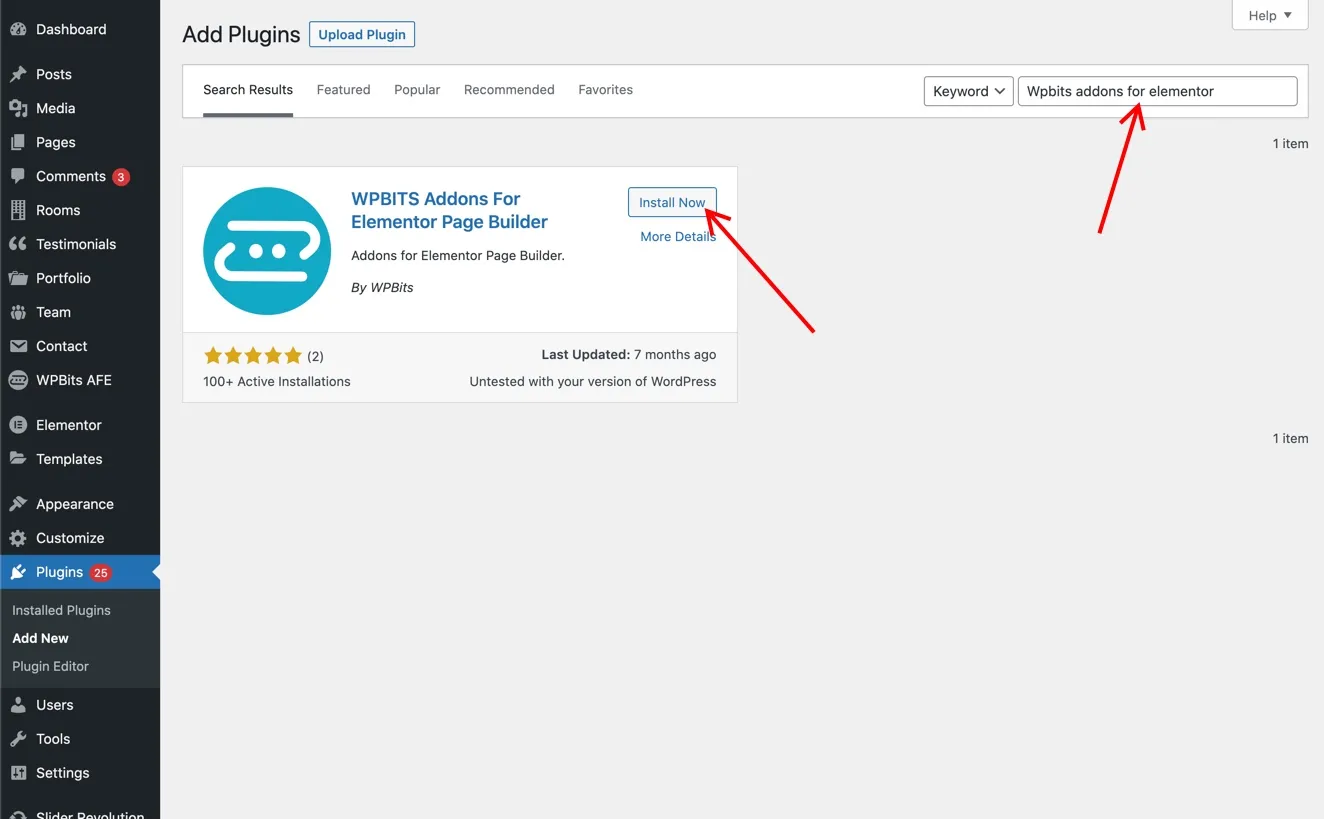
Section titled “Via WordPress Admin Panel”The plugin can be installed directly through your WordPress dashboard:
- Navigate to Plugins → Add New
- Search for “WPBits Addons for Elementor”
- Click Install Now
- Activate the plugin
Manual Installation
Section titled “Manual Installation”You can also download the plugin manually from the official WordPress plugin repository:
- Visit wordpress.org/plugins/wpbits-addons-for-elementor/
- Download the plugin ZIP file
- Navigate to Plugins → Add New → Upload Plugin in your WordPress dashboard
- Upload the ZIP file
- Activate the plugin