

Custom Output Directory
Custom Output Directory lets you set where block files are saved. By default, blocks go to a wp-content/uploads/wpbits-block-studio/blocks folder. You can change this to any folder in your plugin directory.
Setting Output Directory
Section titled “Setting Output Directory”Step 1: Open Settings
Section titled “Step 1: Open Settings”- Go to WPBits Block Studio → Settings
- Find OUTPUT DIRECTORY field
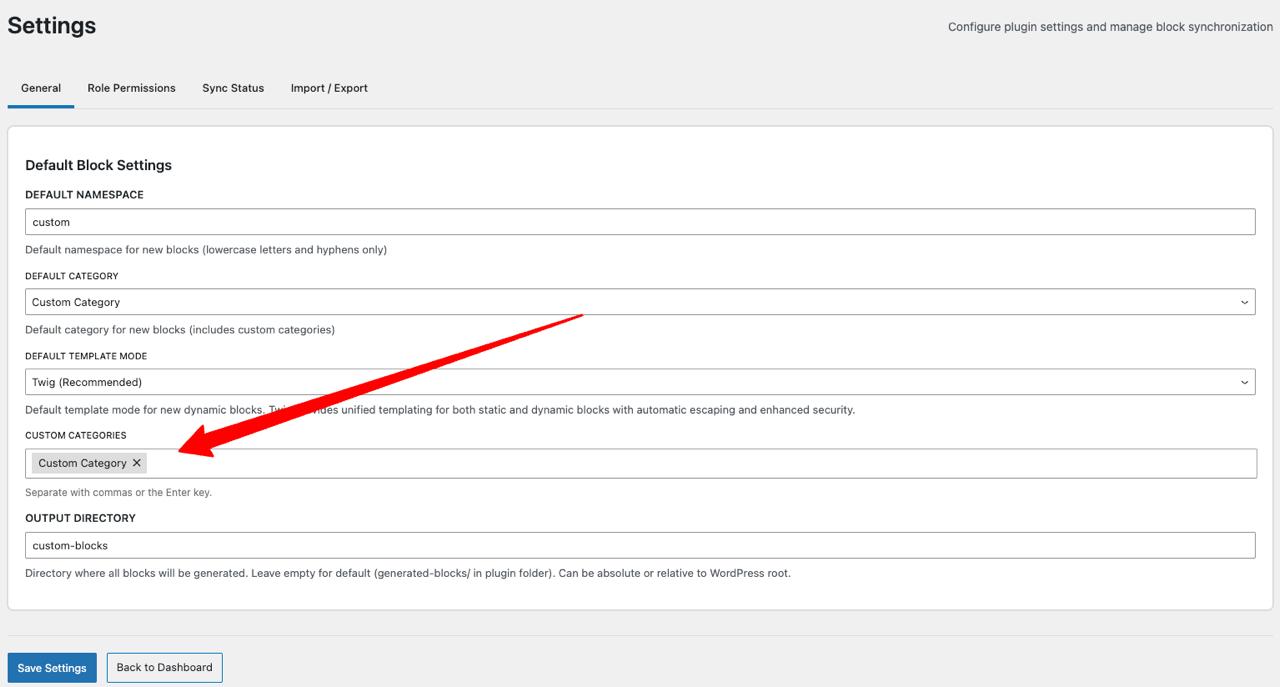
Step 2: Enter Path
Section titled “Step 2: Enter Path”- Enter your desired folder name
- Click Save Changes
The folder will be created directly in your plugin directory, and blocks will be automatically saved there.
Default Behavior
Section titled “Default Behavior”- Without custom path: Blocks go to
wp-content/uploads/wpbits-block-studio/blocks/folder - With custom path: Blocks go to your specified folder in your WordPress setup
Next Steps
Section titled “Next Steps”- Custom Icon Upload — Upload custom icons
- Export as Plugin — Export as standalone plugin