WPBits Block Studio - Gutenberg Block Generator

Create Native Gutenberg Blocks in Minutes, Not Days.

Skip the complex build process. WPBits Block Studio lets you create powerful static and dynamic blocks directly within WordPress. No JavaScript, no React, no NPM — just a few clicks in a familiar, native interface and your block is ready.

PLAYGROUND FREE DOWNLOAD
WPBits Block Studio - Gutenberg Block Generator
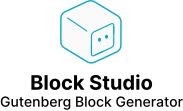
WPBits Block Studio Dashboard - Main interface showing block management
Create your block

Universal Block Rendering

One source blueprint, dual output delivery. Automated Gutenberg blocks for modern WordPress workflows.

1Architect

Visual Design

2Attributes

Logic & Meta

block.json
3Delivery

Dual-Render

Frontend

Client React

Hydrated SPA Block

PHP
Backend

Dynamic PHP

SSR WordPress Block

Advanced Rendering Options

Choose between static (client-side React), dynamic (server-side PHP), or custom PHP rendering to match your project's performance and logic needs. WPBits Block Studio handles all the complex Gutenberg registrations automatically, so you can focus on building your blocks.
Smart Template Engine

Smart Template Engine

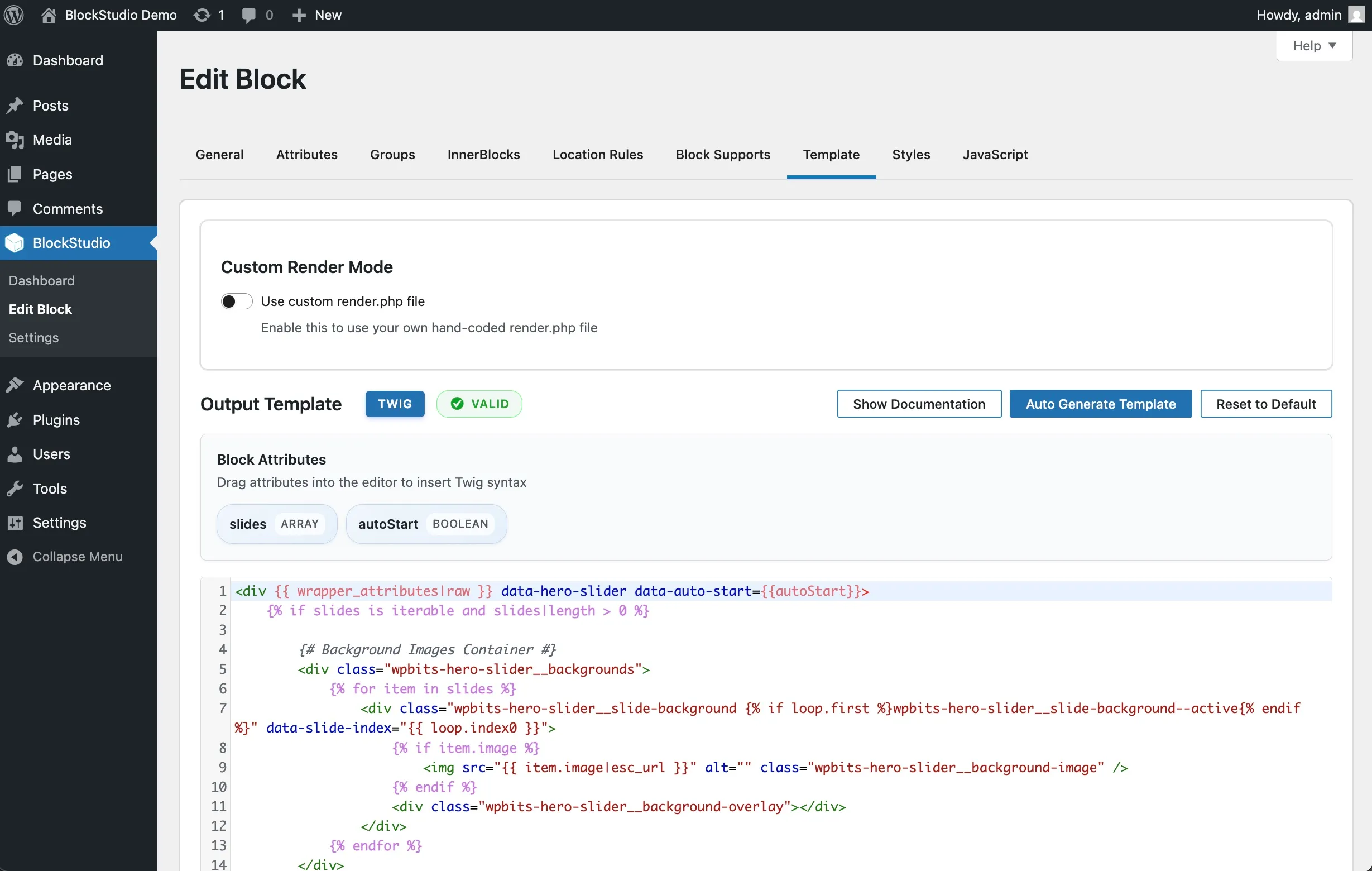
Choose between static (client-side) or dynamic (server-side) rendering. Our intelligent template system generates optimized Twig, HTML, or PHP templates based on your block's needs.

Two Rendering Types

Two Rendering Types

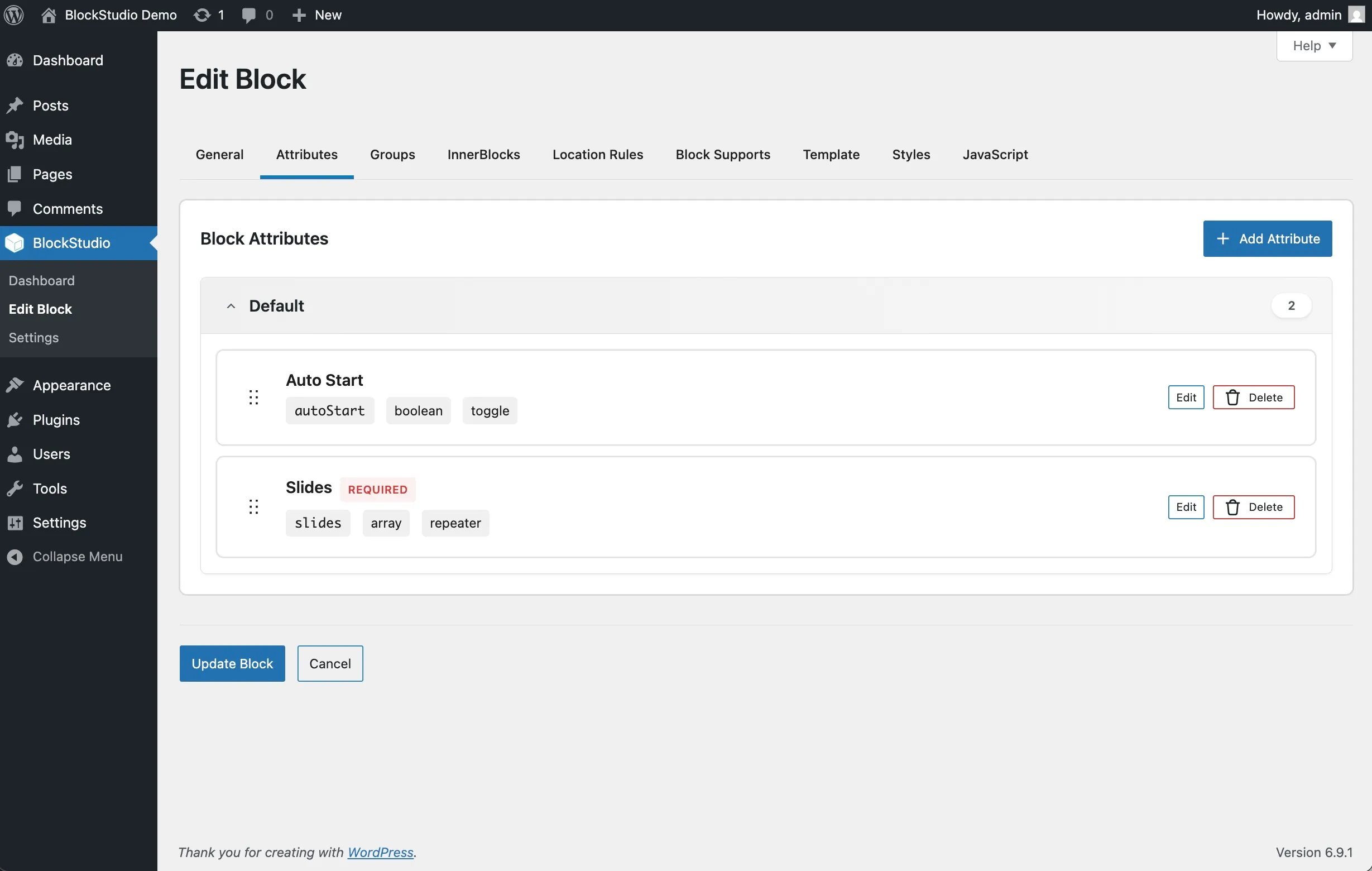
From simple text inputs to advanced repeaters, post selectors, and link controls—every control type you need is built-in and ready to use. Nest repeaters up to 2 levels deep for complex data structures.

Custom Render Mode

Custom Render Mode

Take full control when you need it. Our intelligent stub generator creates schema-aware PHP render files with pre-extracted attributes, giving you a clean starting point for custom logic.

Build Blocks Without Limits.

Built by WordPress developers for WordPress developers, WPBits Block Studio provides a high-performance, unrestrictive development environment. Effortlessly design blocks through our intuitive interface and template engine, or reclaim total control by defining your own custom structure with a block.json and render.php files.

TRY PLAYGROUND Free & Instant
render.php
1<?php
2// Block Render Template
3$attributes = $attributes ?? [];
4?>
5<div class="bg-white p-4">
6<h2>Hello World</h2>
7<p>
8
<?phpecho $attributes['content']; ?>
9</p>
10</div>

Key Features of WPBits Block Studio

Explore the powerful features of WPBits Block Studio

Visual Block Builder

Visual Block Builder

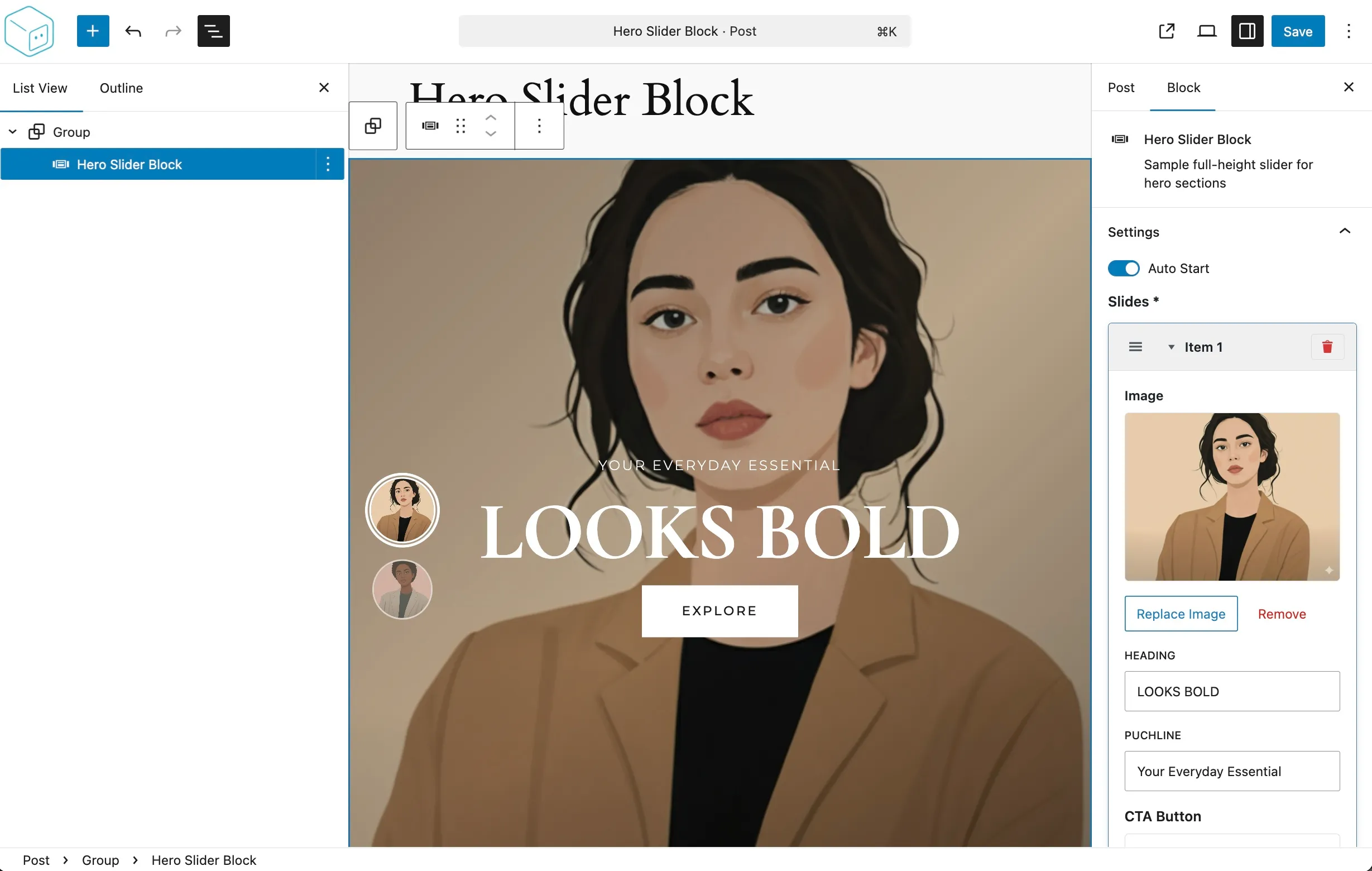
Skip the boilerplate. Design your blocks through an intuitive React interface—define attributes, configure controls, and preview templates without touching a single line of code.

Native WordPress Blocks

Native WordPress Blocks

Keep complex blocks manageable. Organize attributes into collapsible groups with custom icons, making the editor experience clean and intuitive for content creators.

Free Playground

Free Playground

Experiment with our visual builder and see how easy it is to create custom Gutenberg blocks without any installation. Try it out

Extensive Documentation

Extensive Documentation

Comprehensive guides covering everything from basic block creation to advanced block development techniques with code examples and best practices. View Documentation

Developer-Friendly

Developer-Friendly

Export blocks as standalone plugins, theme integrations, or ZIP files. Perfect for client projects, theme development, or distributing blocks to the WordPress community.

Inner Blocks Support

Inner Blocks Support

Build container blocks with full inner blocks support. Define allowed blocks, templates, and orientation—perfect for layouts, sections, and complex page builders.

20+ Powerful Control Types

From simple text inputs to advanced repeaters and post selectors, WPBits Block Studio provides every control type you need to build professional Gutenberg blocks. Design complex interfaces without touching a single line of React or JavaScript.

EXPLORE ALL CONTROLS


Control Type
Control Type
Control Type
Control Type
Control Type
Control Type
Control Type
Control Type
Control Type
Control Type
Control Type
Control Type
Control Type
Control Type
Control Type
Control Type
Control Type
Control Type
Control Type
Control Type
Control Type
Control Type
Control Type
Control Type
Control Type
Control Type
Control Type
Control Type
Control Type
Control Type
Control Type
Control Type
Control Type
Control Type
Control Type
Control Type
Control Type
Control Type
Control Type
Control Type
Control Type
Control Type
Control Type
Control Type
Control Type
Control Type
Control Type
Control Type
Control Type
Control Type
Control Type
Control Type
Control Type
Control Type
Control Type
Control Type
Control Type
Control Type
Control Type
Control Type
Control Type
Control Type
Control Type
Control Type
Control Type
Control Type
Control Type
Control Type
Control Type
Control Type
Control Type
Control Type
Control Type
Control Type
Control Type
Control Type
Control Type
Control Type
Control Type
Control Type
Control Type
Control Type
Control Type
Control Type
Control Type
Control Type
Control Type
Control Type
Control Type
Control Type
Control Type
Control Type
Control Type
Control Type
Control Type
Control Type
Control Type
Control Type
Control Type
Control Type
Control Type
Control Type
Control Type
Control Type
Control Type
Control Type
Control Type
Control Type
Control Type
Control Type
Control Type
Control Type
Control Type
Control Type
Discover All Features →

Frequently Asked Questions

Find answers to the most common questions about WPBits Block Studio and learn how to build custom Gutenberg blocks with ease.
What exactly is WPBits Block Studio?

WPBits Block Studio is a native WordPress plugin that allows you to build custom Gutenberg blocks visually. It eliminates the need for complex build tools like NPM, Webpack, or React boilerplate, making block development accessible to everyone.

Do I need to know React or PHP to use it?

No React knowledge is required! You can design your block interface entirely through our visual builder. While basic HTML knowledge is useful for custom output templates, our system handles all the complex Gutenberg registrations automatically.

Can I export blocks as stand-alone plugins?

Yes! You can export any block you create as a standalone plugin ZIP file. This makes it perfect for client projects or for redistributing your custom blocks without requiring WPBits Block Studio to be installed on the final site.

Is it compatible with the latest WordPress versions?

Absolutely. WPBits Block Studio is built using 100% native WordPress components and the official Gutenberg API. We rigorously test every update with the latest WordPress versions to ensure full compatibility.

Does it support dynamic (server-side) blocks?

Yes, WPBits Block Studio supports both static (client-side) and dynamic (server-side) rendering. You can easily toggle between modes depending on whether you need simple markup or complex server-side logic.