
A highly customizable accordion widget to organize your content.
Create unique call-out sections for your services or products.
Create a responsive business hours table without pain and style it as you wish.
Re-design or customize each element of your Contact Form 7 plugin forms.
Set a future date and your count-down animation is ready. Then customize it with a rich toolset.
Turn a boring image slider into a stylish design element that fills the white spaces on your page.
Use drop-down buttons to create a navigation menu that opened by a button or icon.
Attract your visitor's attention with eye-catching headings thanks to dual-heading, markers, gradients, and more.
Mark important spots on an image with a highly customizable tooltip infobox and animated pointers to create interactive, self-explained images.
All you need to upload two images to create a useful, before and after image comparison slider.
Easily create customized front-end login forms for a better user experience.
All you need to do select logo images to create an image grid that specifically designed to display logos.
Create a photo gallery with masonry layout, lightbox, hover effects, and tooltip options.
Pie charts, one of the indispensable elements of the infographic sections, can now be used in any style you want.
Working on a restaurant or a service website project? Then you'll need a useful widget to create a price menu that matches your design.
Create a responsive pricing table with endless design possibilities or chose one of the templates from the library.
Create animated progress bars in seconds with a variety of customization options.
Create any shape you want, then either turn it into a button with an icon inside or use it as a design element.
Stylish and functional tabs are now easy to customize with multiple options and a variety of styles.
Easily create a team members gallery with nice hover effects and lightbox support.
Present your customer testimonials with catchy and organized designs.
Use rotating texts to get your visitors’ focus wherever you want with classy animation options.
Use our free timeline widget to create any timeline content with the design of your taste.
Add a tooltip text to a text, image, icon, or shortcode that has lots of position and design settings.
Create highly customizable post carousels by using WPBits Carousel Master.
CSS animations let you animate an element with just a few clicks. Rotate, scale, move items and combine with others to create your animation. Use Elementor’s positioning features to get them together. Give your page a motion by combining CSS animations and scroll effects.
Create content boxes with two sides that interact with mouse moves.
Create any grid you want from any custom post type without having to leave Elementor’s screen.
Create one-page navigation menus to provide a better user experience.
Add a trendy parallax scrolling effect to your column or section backgrounds.
Add catch reveal effects to any item with a mask animation and customization options.
Move and animate elements between the given coordinates as the user scroll the page.
Create a navigation menu with classical drop-down, multi-column or mega menu options and customize it without a limitation. Create a sub-menu layout freely by using Elementor to display as a mega menu.
A fully-featured and highly flexible image slider widget created mobile devices in mind. Thanks to its extended responsive options, you'll able to handle complex layouts both for mobile and desktop screen sizes.
Replace your header and footer design, or the loop template of your archive pages by using Elementor. Works with any theme!
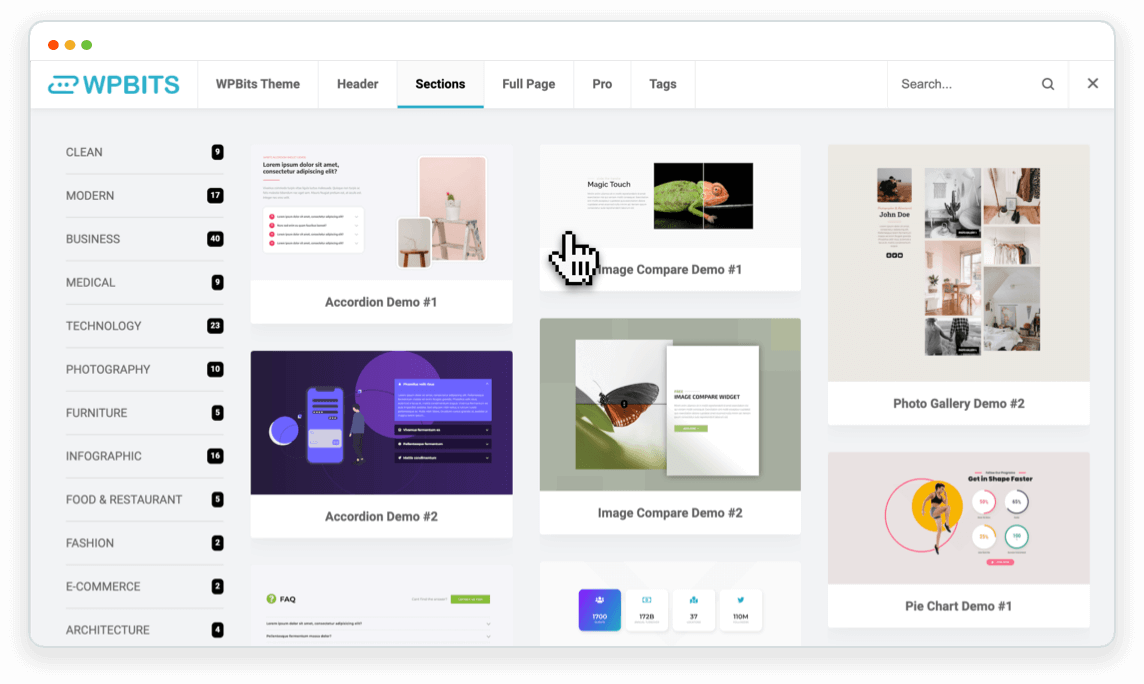

You can power up your commercial or custom themes by adding your templates to the WPBits AFE library and let your users easily import the parts of your theme.

WPBits AFE doesn't bloat your page with heavy assets. It is smart enough to load and combine only the required CSS and JS files that your page needs.